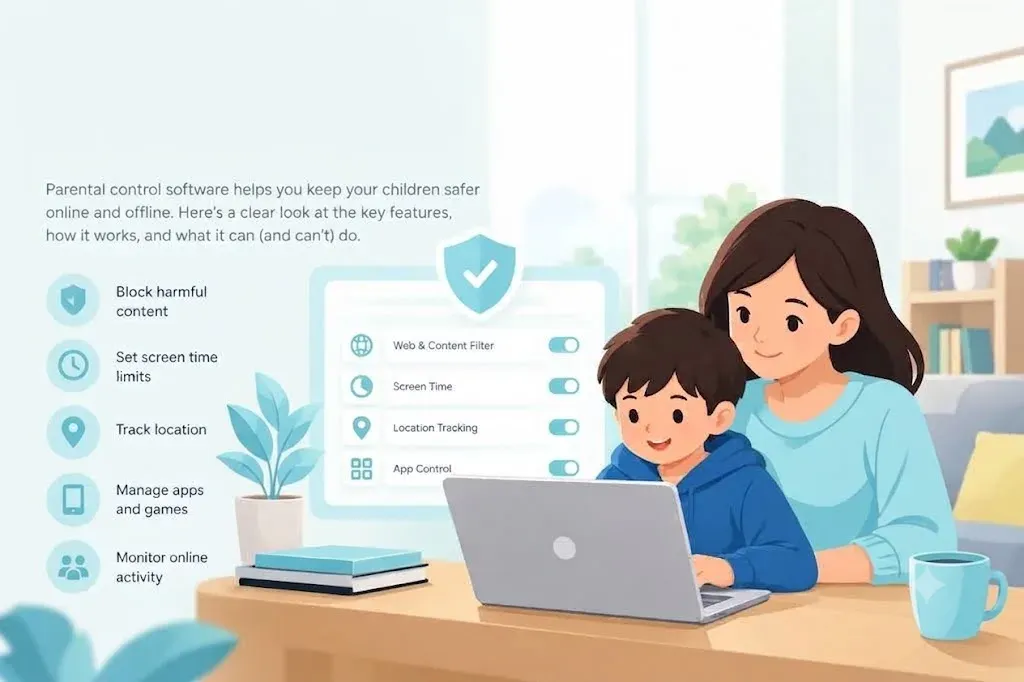
Parents rarely go looking for parental control software in the abstract. Something happens first - a message you were not meant to see, a school warning about a game, a phone that never goes down - and the search starts from there.
The trouble is that every product in this category answers to the same two words while doing quite different things. One will read your child's group chats. Another will not even record which websites were opened. Both are sold as "parental controls", and a family that buys the wrong one either gets no useful information or gets far more than it wanted.
This guide breaks the category into the four jobs it actually contains, so you can match a product to the thing that worried you.
The Four Jobs in One Product
Almost every parental control app combines four distinct functions. In the marketing they blur together. In daily use they are separate, and most families only really use one or two.
1. Content filtering - deciding what may open
Filtering decides which sites and apps a device is allowed to load. Blocking is nearly always by category - adult content, gambling, violence, drugs, weapons - with the option to add your own allow and block lists on top.
This is the oldest function in the category and the one every product includes. It is also the one that matters most for younger children, whose risk is stumbling into something rather than seeking it out.
2. Time management - deciding when and how long
Time tools come in two shapes, and the difference matters more than most product pages admit:
- A daily cap ends usage after a set number of hours.
- A schedule blocks specific windows - bedtime, school hours, dinner.
Schedules hold up better in practice, because they are about when rather than how much. "The phone goes quiet at ten" is a rule a teenager can argue with once; "you have forty minutes left" is a rule they argue with every single evening.
3. Activity reporting - telling you what happened
This is where the range across products is widest. At the light end you get a list of sites visited. At the heavy end you get texts, email, and monitoring across dozens of social platforms.
The important distinction is not how much is collected but what reaches you. A product can show you everything, or it can show you only what looks concerning. Those two designs suit very different families - more on that below.
4. Location - showing where the device is
Nearly universal now. What separates products is geofencing: an alert when a phone arrives at or leaves a marked place, so you learn your child got to school without having to open an app and check.
Blocklists Versus Real-Time Analysis
Two products can both promise to block adult content and go about it in completely different ways.
The older method compares each address against a maintained list of known sites. It is fast, predictable, and cheap to run - and it misses anything too new to have been categorised.
The newer method examines the page as it loads and judges the content itself. It catches sites no list has reached yet, at the cost of occasionally blocking something harmless.
Most serious products now do both. If a product describes only categories and never mentions analysing content, assume it is list-based - fine for a seven-year-old, thin protection for a curious thirteen-year-old who has worked out that new domains appear every day.
Alerts Are Not the Same as Reading Messages
The feature that separates the top-ranked products is not filtering. It is what happens when something concerning appears.
Reading every message your child sends is possible on some platforms. It is also the approach most likely to end with a teenager who simply moves the conversation somewhere you cannot see - a friend's phone, a school laptop, an app you have not heard of.
The alternative is alert-based monitoring. Software scans for signals of bullying, self-harm, sexual content, or contact from an adult stranger, and tells you only when it finds one. You are not reading the group chat; you are being told that something in it needs your attention.
| Full visibility | Alert-based | |
|---|---|---|
| What you see | Everything - messages, sites, apps | Only flagged content, with context |
| Best for | Younger children, first phones | Teenagers, older children |
| Risk | Feels intrusive; invites workarounds | You rely on the detection being good |
| Example in our ranking | mSpy | Bark |
That difference matters more as children get older. For a seven-year-old, full visibility is normal and uncontroversial. For a fifteen-year-old it is usually the wrong trade - you gain a transcript and lose the chance of being told when something is actually wrong.
What the Platform Decides For You
Before comparing feature lists, check which operating system your child actually uses. It constrains what any product can do, regardless of price.
iOS restricts what third-party apps may access. Web filtering, screen time and location work well on iPhone. Message and social monitoring is consistently thinner than on Android, and some products need the device jailbroken to go further - which is not something to do to a child's phone casually.
Android allows deeper access, which is why monitoring-heavy products list more features there.
Desktops are often forgotten. Homework happens on laptops, and several popular products have narrowed to phones only. Some products run on Windows, Android and iOS but lack macOS support entirely - a detail buried in system requirements that can catch households on MacBooks by surprise.
Check the per-platform feature table on the vendor's own site before subscribing, not the summary table on a comparison page. The gap between "supports iOS" and "supports this feature on iOS" is where most disappointment lives.
What Parental Controls Cannot Do
No app stops a determined teenager entirely, and being clear-eyed about that makes the software more useful rather than less.
- Filters can be routed around. A VPN, a different browser, or a friend's hotspot all defeat category blocking.
- Coverage stops at your device. Monitoring your child's phone says nothing about what happens on a friend's.
- Detection is not judgement. Keyword alerts cannot tell a threat from song lyrics; even contextual systems raise false positives.
- Removal is a race. Uninstall protection varies enormously - some products lock settings behind two-factor authentication, others behind a PIN a child can watch you type.
Treat the software as what it is: a boundary that holds most of the time, and an early warning when something is wrong. The conversation you have after an alert is still the part that does the work.
How to Decide What You Need
Work through these in order. It is faster than comparing feature grids.
- Name the worry. Content they might see, time they spend, people they talk to, or where they are? Each maps to one of the four jobs above.
- Check the platform. Confirm the feature you need exists on the operating system your child uses, not just on the product in general.
- Count the devices and children. Some products charge per device, some per household. With three children the difference is substantial.
- Decide openly or discreetly. Most families do better installing openly and treating it as part of an agreement about phone use. Check your local law either way - rules on monitoring a minor vary by country and by the child's age.
- Use the trial. A parental control app only works if it survives the first week in your house. Install it on one device, set it up as you intend to use it, then decide.
At kidssafetyranked.com we compare parental control apps by the four jobs above - filtering, time, reporting and location - so you can see which product is strongest at the one you actually need, rather than which has the longest feature list.
Compare Parental Control Apps